:::info Vertaalnotitie Dit document is momenteel in het Engels. Een vertaalde versie is binnenkort beschikbaar. :::
Patient Directory
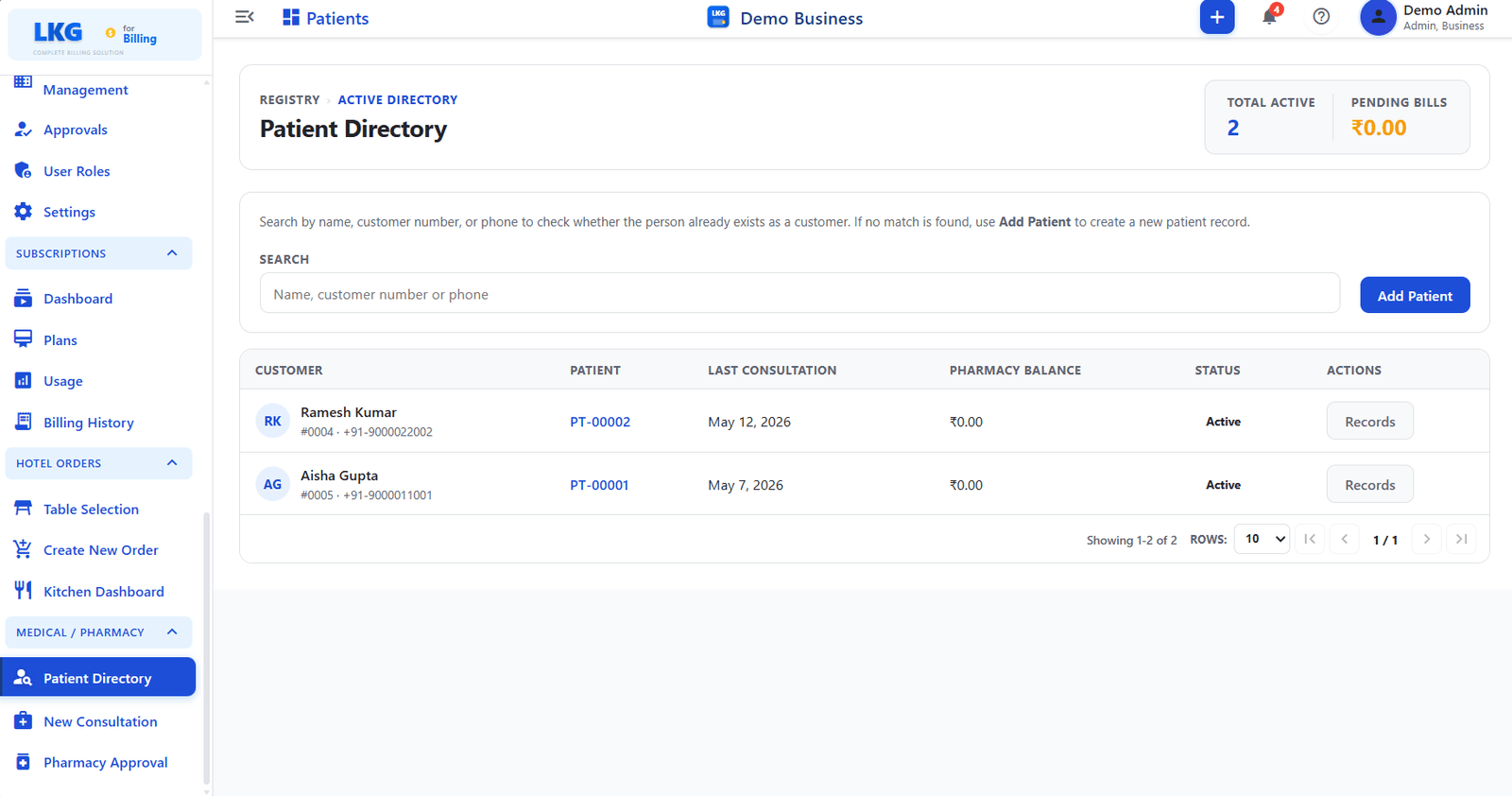
The Patient Directory is the central registry for all patients. Search for existing patients, view their consultation history and pharmacy balance, or register new patients.
Navigate to Patient Directory from the sidebar under Medical / Pharmacy.

Page Header
| Field | Description |
|---|---|
| Total Active | Count of currently active patients in the registry |
| Pending Bills | Total outstanding pharmacy balance across all patients |
Search
Use the search bar to find an existing patient by:
| Search Input | Description |
|---|---|
| Name | Patient''s full name |
| Customer number | Linked customer account number |
| Phone | Registered phone number |
If no match is found, use the Add Patient button to create a new patient record.
Add Patient
Click the Add Patient button on the right side of the search bar to register a new patient. The system checks whether the person already exists as a customer before creating a new record.
Patient List
The table lists all registered patients with the following columns:
| Column | Description |
|---|---|
| Customer | Customer account linked to the patient — shows name, customer number, and phone |
| Patient | Patient ID (e.g., PT-00001, PT-00002) — click to open the patient''s record |
| Last Consultation | Date of the most recent consultation visit |
| Pharmacy Balance | Outstanding balance on the patient''s pharmacy account |
| Status | Active or Inactive |
| Actions | Records button — opens the patient''s full history and past consultations |
Patient Actions
| Button | Description |
|---|---|
| Records | Opens the Patient History page for that patient |
Click the Patient ID link (e.g., PT-00002) directly in the list to jump to that patient''s history page.