Approvazione farmacia
La coda Approvazione farmacia elenca tutte le prescrizioni inviate dalle consultazioni e in attesa di revisione farmacia. Un farmacista o un operatore autorizzato rivede ogni prescrizione, modifica le quantità se necessario e la approva per la fatturazione.
Apri Approvazione farmacia dalla sezione Medico / Farmacia nella barra laterale.
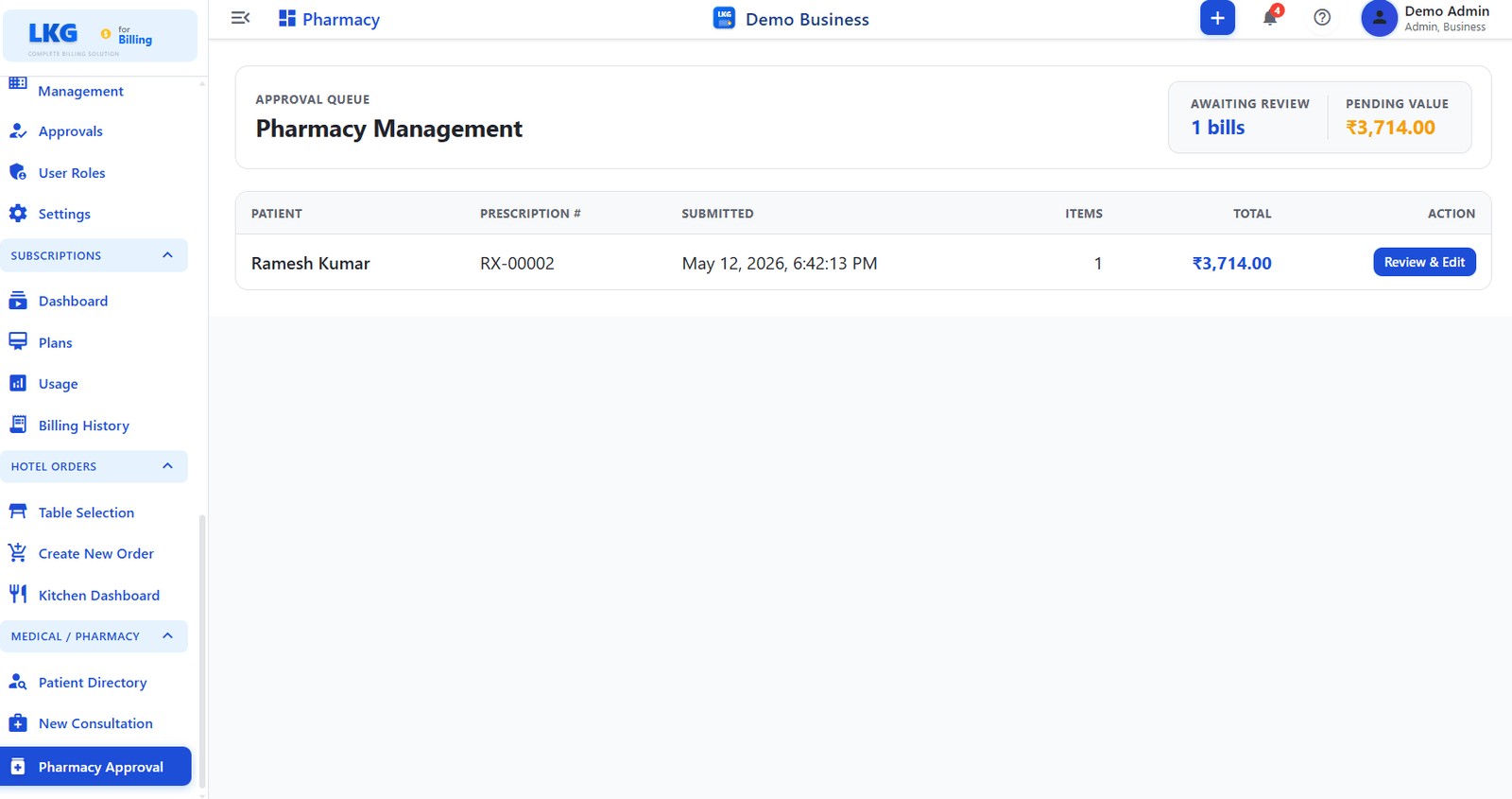
Riepilogo coda
| Statistica | Descrizione |
|---|---|
| In attesa di revisione | Numero di prescrizioni in attesa di approvazione farmacia |
| Valore in sospeso | Valore totale (₹) di tutte le prescrizioni in attesa |
Coda prescrizioni
La tabella di approvazione mostra una riga per ogni prescrizione in sospeso.
| Colonna | Descrizione |
|---|---|
| Paziente | Nome paziente e ID paziente |
| Prescrizione n. | Numero di riferimento univoco della prescrizione (es. RX-00002) |
| Inviata | Data e ora di invio della prescrizione dalla consultazione |
| Articoli | Numero di righe medicinali nella prescrizione |
| Totale | Costo totale di tutti i medicinali nella prescrizione |
| Azione | Pulsante Rivedi e modifica — apre la prescrizione per la revisione |
Revisione di una prescrizione
Fai clic su Rivedi e modifica per aprire una prescrizione. Nel pannello di revisione puoi:
| Azione | Descrizione |
|---|---|
| Visualizza medicinali | Vedere ogni medicinale prescritto, dosaggio e quantità |
| Modifica quantità | Modificare le quantità in base allo stock disponibile o alle indicazioni cliniche |
| Approva | Confermare la prescrizione e inviarla alla fatturazione |
| Rifiuta / Rimuovi | Rimuovere un articolo o respingere l'intera prescrizione se necessario |
Dopo l'approvazione, il costo della prescrizione viene aggiunto al saldo farmacia del paziente e i medicinali sono riflessi nell'inventario.
Integrazione con la fatturazione
Le prescrizioni approvate creano automaticamente voci di fatturazione collegate all'account cliente del paziente. Puoi visualizzarle e finalizzarle nella sezione Fatture standard.
Le prescrizioni inviate durante una nuova consultazione appaiono qui immediatamente. Approvatele rapidamente per mantenere corretto il saldo farmacia del paziente.