Patient History
The Patient History page shows the complete record for a single patient — all consultations, prescribed medicines, vitals, and reports in chronological order.
Open it from the Patient Directory by clicking Records next to a patient, or by clicking the Patient ID link directly.
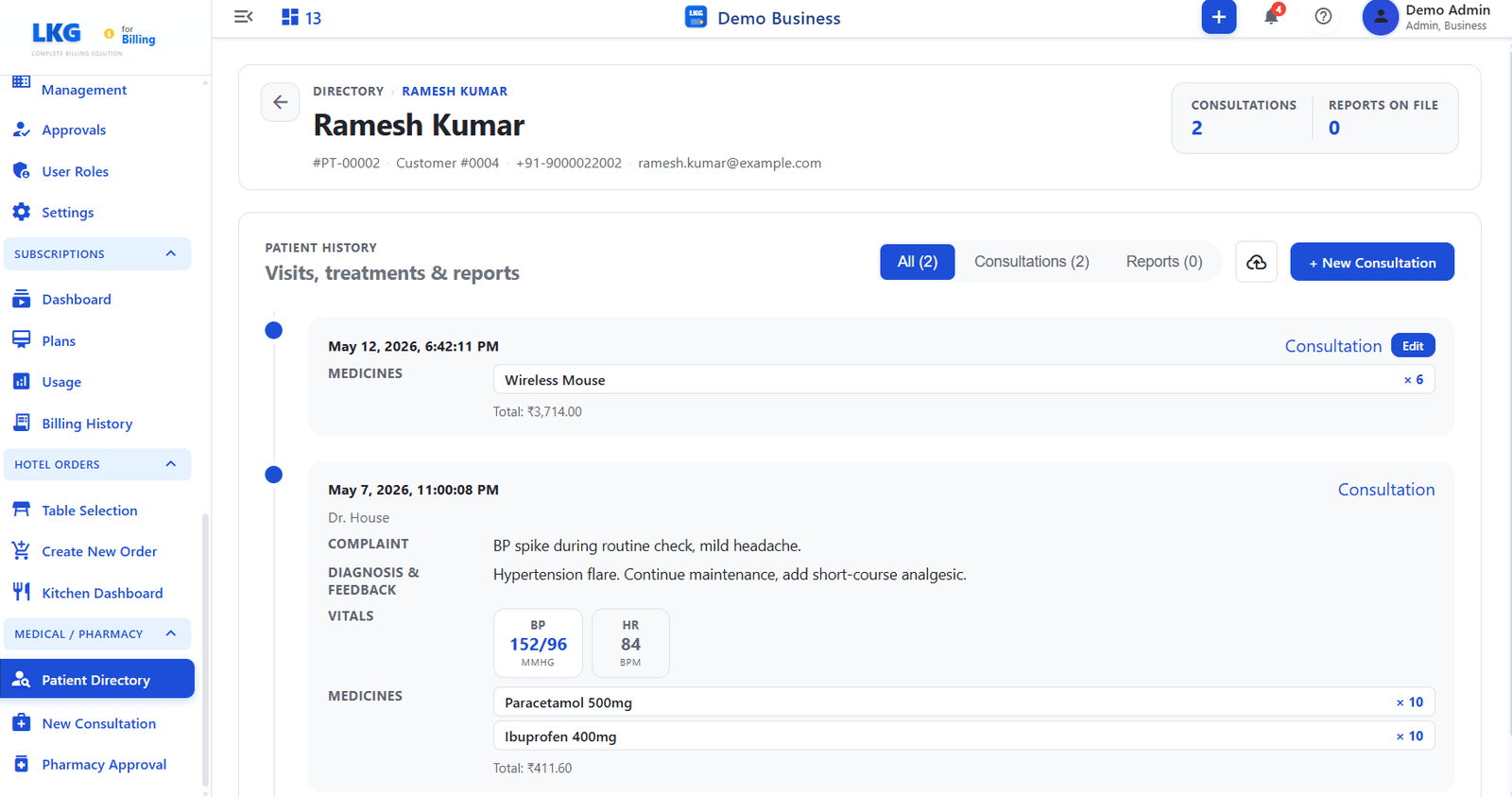
Patient Header
The top of the page shows identity details for the selected patient.
| Field | Description |
|---|---|
| Name | Patient's full name |
| Patient ID | Unique patient identifier (e.g., PT-00002) |
| Customer # | Linked customer account number |
| Phone | Registered phone number |
| Patient's email address |
Summary Stats
| Stat | Description |
|---|---|
| Consultations | Total number of consultation visits recorded for this patient |
| Reports on File | Number of uploaded clinical reports attached to the patient record |
Patient History Timeline
The PATIENT HISTORY section lists all visits and reports.
Filter Tabs
| Tab | Description |
|---|---|
| All | Shows consultations and reports together |
| Consultations | Filters to consultation entries only |
| Reports | Filters to uploaded report entries only |
Timeline Entry — Consultation
Each consultation entry shows:
| Field | Description |
|---|---|
| Date & Time | Timestamp of when the consultation was recorded |
| Doctor | Name of the attending doctor (if entered) |
| Complaint | Patient's reported symptoms (from the notes field) |
| Diagnosis & Feedback | Doctor's findings and treatment notes |
| Vitals | Chip-style display of recorded values (e.g., BP 152/96 MMHG, HR 84 BPM) |
| Medicines | List of prescribed medicines, quantities, and total cost |
Actions
| Button | Description |
|---|---|
| Edit | Opens the consultation for editing (available on the most recent entry) |
| + New Consultation | Starts a new consultation for this patient |
| Download icon | Exports the patient history |
note
Medicines listed in a consultation entry appear in the Pharmacy Approval queue until reviewed and approved by the pharmacy.