New Consultation
The New Consultation form lets you record all clinical details for a patient visit — vitals, complaints, diagnosis, and medicines prescribed.
Navigate to New Consultation from the sidebar under Medical / Pharmacy, or click the + New Consultation button on a patient's history page.
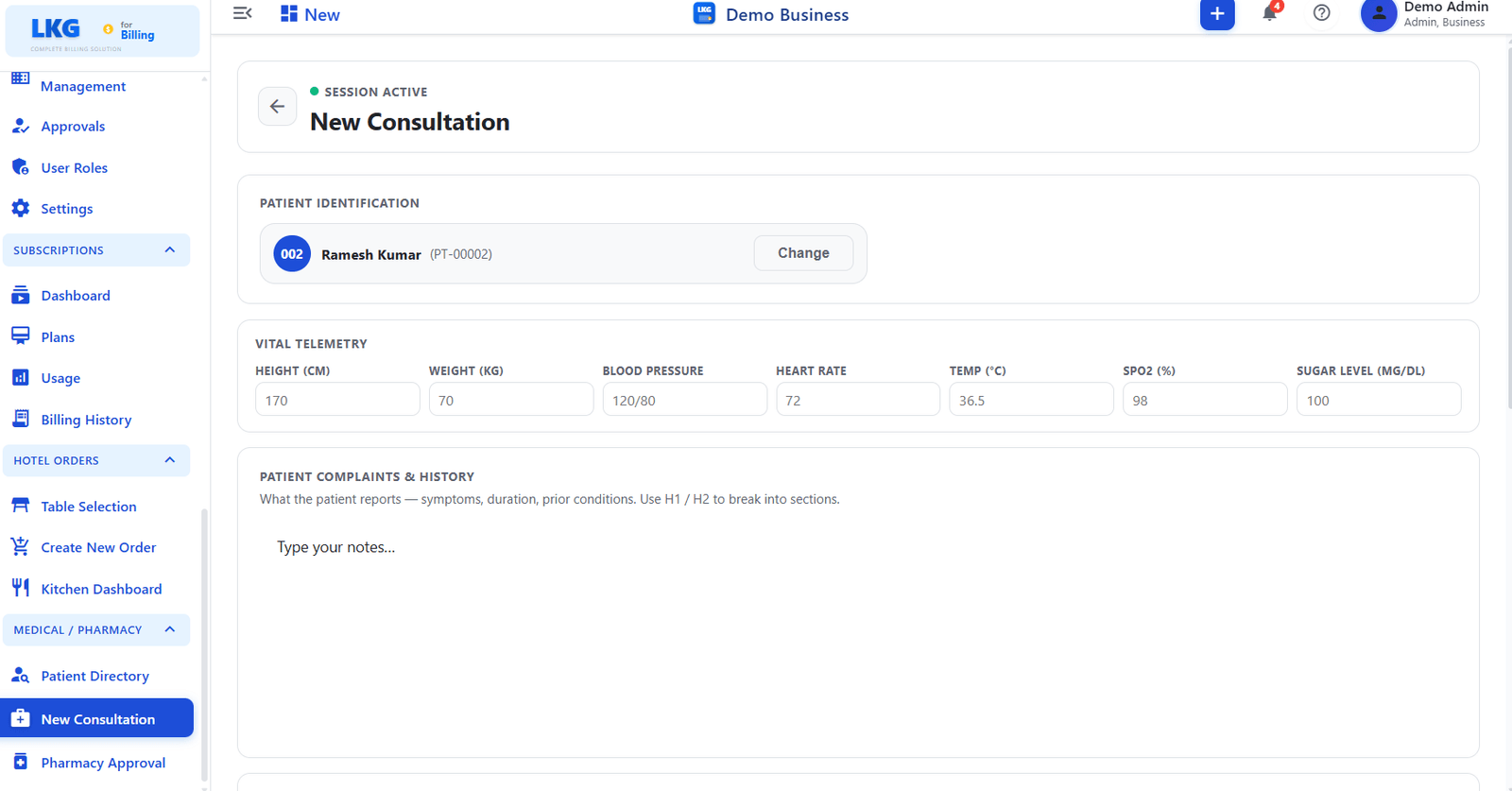
Session Status
A SESSION ACTIVE badge is displayed at the top of the form while a consultation is in progress. The session persists until the consultation is saved or cancelled.
Patient Identification
The form opens with the selected patient pre-filled.
| Field | Description |
|---|---|
| Patient Name | Displays the patient's name and patient ID (e.g., Ramesh Kumar — PT-00002) |
| Avatar | Shows a profile avatar linked to the patient account |
| Change | Click Change to select a different patient before saving the consultation |
Vital Telemetry
Record the patient's physical measurements taken at the time of the visit.
| Field | Unit | Description |
|---|---|---|
| Height | cm | Patient's height in centimetres |
| Weight | kg | Patient's weight in kilograms |
| Blood Pressure | mmHg | Systolic / Diastolic reading (e.g., 152/96) |
| Heart Rate | BPM | Beats per minute |
| Temperature | °C | Body temperature in degrees Celsius |
| SpO2 | % | Blood oxygen saturation level |
| Sugar Level | mg/dL | Blood glucose level |
All vital fields are optional — enter only the measurements recorded during the visit.
Patient Complaints & History
Free-text area for recording the patient's reported symptoms, duration of complaints, and any prior conditions.
| Field | Description |
|---|---|
| Notes | Open text field — describe symptoms, duration, and background history |
Use ## Headings inside the notes field to structure your entries (e.g., ## Symptoms, ## Prior Conditions). The placeholder guides you with H1 / H2 formatting hints.
Saving the Consultation
After filling in the required fields, save the consultation to:
- Record the visit in the patient's history
- Submit any prescribed medicines to the Pharmacy Approval queue