Inventory Management Overview
The Inventory Management module helps you track and manage your stock levels, monitor product availability, and maintain accurate inventory records across your business operations.
Navigate to Inventory → Dashboard from the main menu to view the Inventory Dashboard.
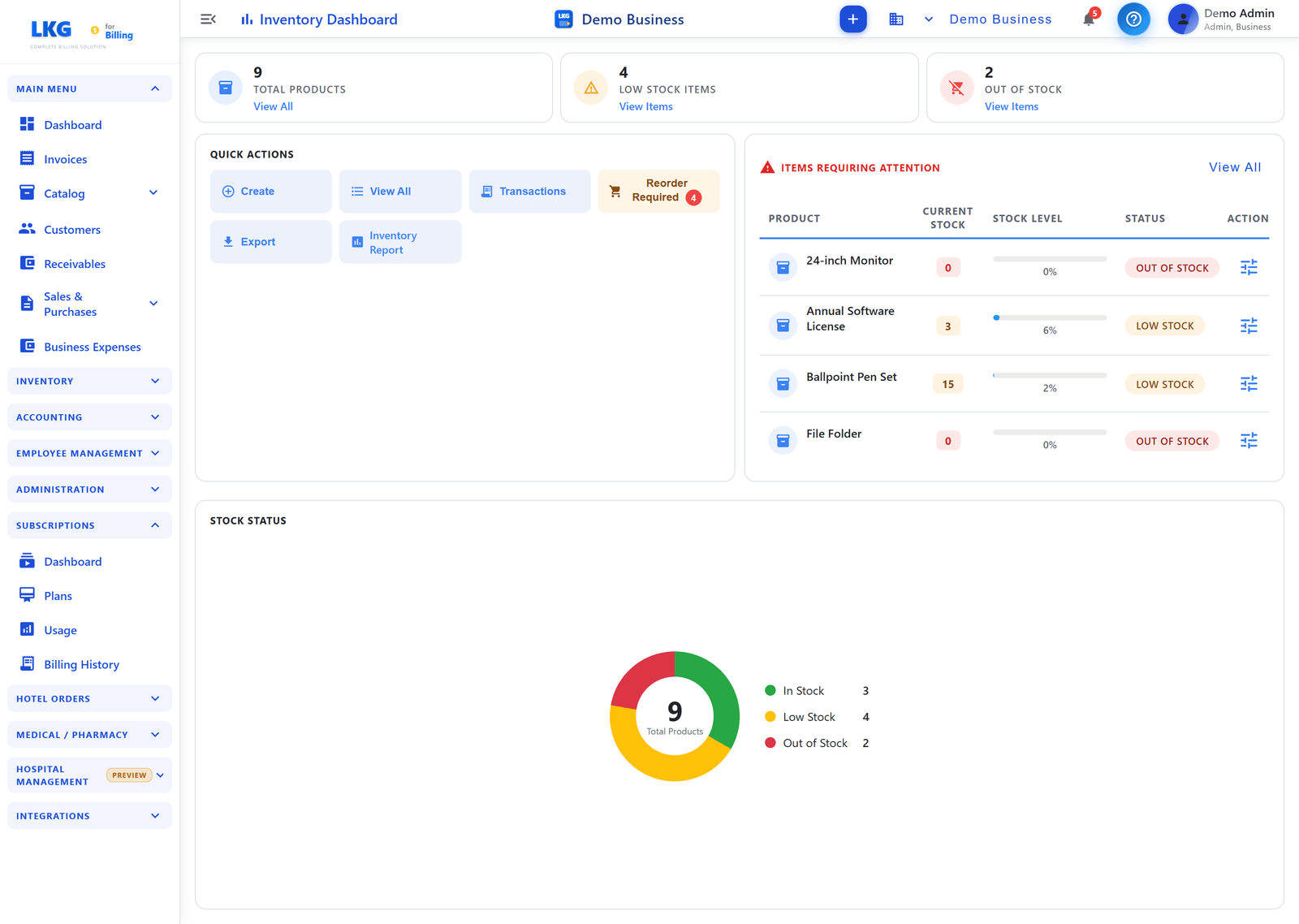
Summary Cards
The dashboard displays three key metrics at the top:
| Card | What It Shows |
|---|---|
| Total Products | Total number of unique products tracked — with a "View All" link |
| Low Stock Items | Count of products below their minimum threshold — with a "View Items" link |
| Out of Stock | Count of products with zero quantity — with a "View Items" link |
Quick Actions
A set of action buttons for fast access to common inventory tasks:
| Button | Action |
|---|---|
| Create | Add a new inventory item |
| View All | Navigate to the full inventory items list |
| Transactions | View all stock transaction history |
| Reorder Required | View items that need reordering — shows a badge with the count when items need attention |
| Export | Download inventory data as a file |
| Inventory Report | Open the inventory report |
Items Requiring Attention
This section lists products that need immediate action — items that are Low Stock or Out of Stock. Click View All to see the complete list.
| Column | Description |
|---|---|
| Product | Product name |
| Current Stock | Current quantity in stock |
| Stock Level | Progress bar showing stock as a % of the minimum threshold |
| Status | Stock status — Low Stock (orange) or Out of Stock (red) |
| Action | Quick adjust/restock icon for the item |
Stock Status
A donut chart showing the distribution of your inventory health:
| Status | Description |
|---|---|
| In Stock (green) | Products with adequate stock levels |
| Low Stock (yellow) | Products below minimum threshold but not zero |
| Out of Stock (red) | Products with zero quantity available |
The chart displays the total product count in the center for a quick overview.
Inventory Sidebar Navigation
The Inventory section in the sidebar provides access to:
| Menu Item | Description |
|---|---|
| Dashboard | The main inventory dashboard (this page) |
| Items | The full inventory items list |
| Transactions | View all stock movements |
Admin Access Only
:::warning Admin Feature Inventory Management is only available to Admin users. Regular users cannot access inventory features to maintain data integrity and security. :::
Related Topics
- View Inventory Items — manage your inventory catalog
- Track Transactions — view stock movements
- Stock Adjustments — make inventory corrections
Enable inventory tracking only for physical products that you stock. Services and digital products typically don't need inventory management.