📊 Accounting Overview
The Accounting module provides comprehensive financial management and reporting tools to help you understand your business performance, track income and expenses, and prepare data for tax filing.
Navigate to Reports from the sidebar to access all financial reports.
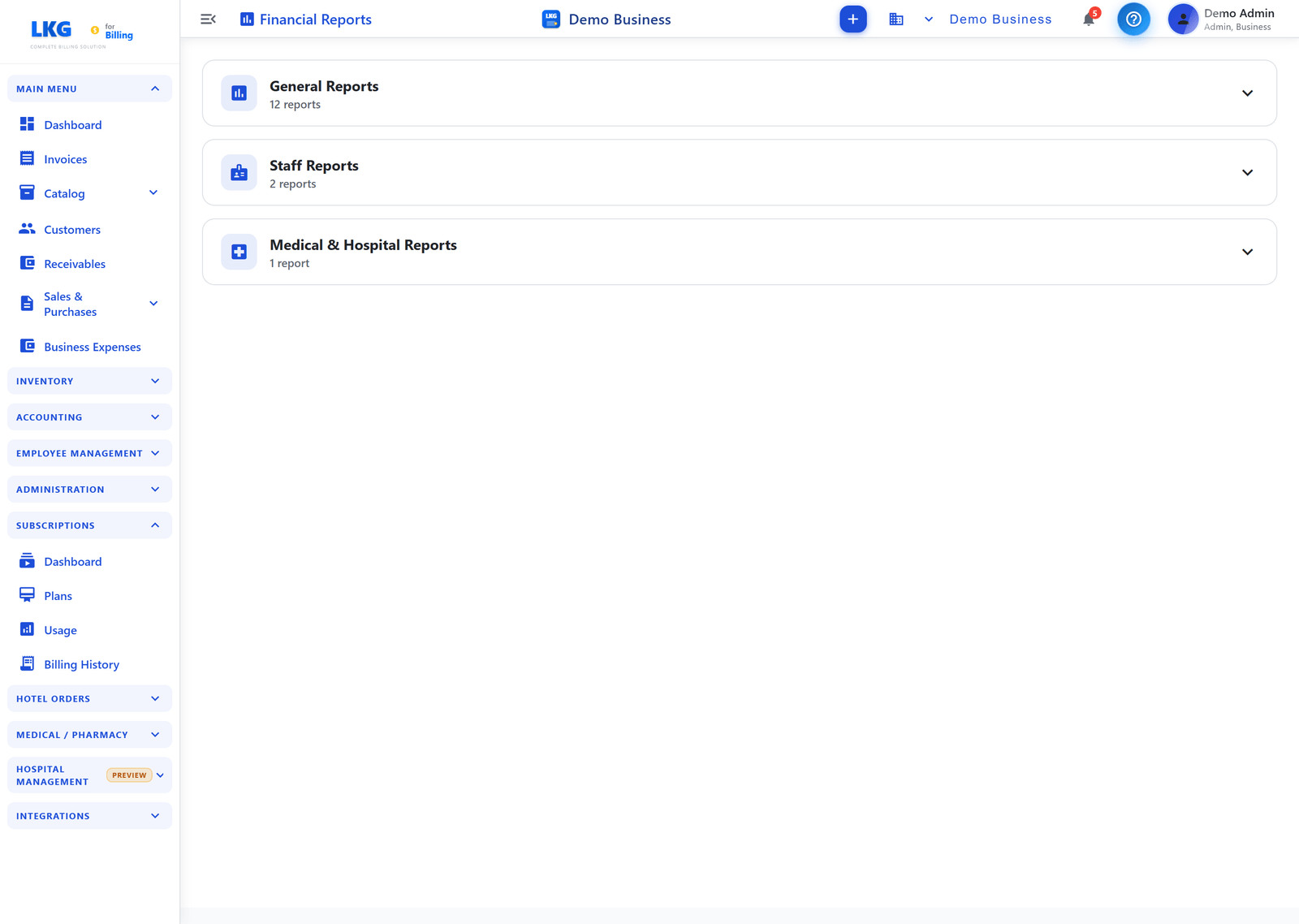
Financial Reports
The Financial Reports page groups reports into collapsible categories. Click a category header to expand it, then click a report card to open the detailed report.
📊 General Reports (12)
| Report | Description |
|---|---|
| Invoice Report | Invoices created on a day & total amount paid |
| Trial Balance | View trial balance report — verify debits equal credits |
| Profit & Loss | Income, expenses, and net profit for a period |
| Balance Sheet | Assets, liabilities, and equity at a point in time |
| Cash Flow | Tracks cash inflows and outflows |
| Sales Trends | Analyze sales performance over time |
| Payment Report | Incoming cash, card and UPI payments |
| Sales Report | Daily and monthly sales overview |
| Billwise Profit & Loss | Profit and loss incurred on each transaction |
| Partywise Profit & Loss | Each party's profit or loss |
| Business Expenses | Expenses by category and monthly trend |
| Inventory Report | Total items count and stock value |
👥 Staff Reports (2)
| Report | Description |
|---|---|
| Attendance Report | Monthly employee attendance overview & summary |
| Employee Expenses | View and analyse expenses by employee |
🏥 Medical & Hospital Reports (1)
| Report | Description |
|---|---|
| Hospital Summary | Daily counts of appointments, admissions, lab, scans & more |
note
The Medical & Hospital Reports category is relevant when the Hospital module is in use. GST reporting lives on its own GST Report menu item, not in this Reports page.
Accessing Reports
- Navigate to Reports from the sidebar
- Expand the report category (General, Staff, or Medical & Hospital)
- Click the desired report card
- Choose the date range and filters
- View the generated report and export if needed
Related Topics
- Sales Trends — sales performance analysis
- Payment Report — payment collection analysis
- GST Report — GST tax reporting for compliance
- Invoices — manage your sales invoices
- Payments — track payments received
- Dashboard — business overview dashboard