📊 Přehled účetnictví
Modul Účetnictví poskytuje komplexní nástroje pro finanční řízení a reporting, které vám pomohou pochopit výkonnost vaší firmy, sledovat příjmy a výdaje a připravit data pro daňové přiznání.
Přejděte na Reporty v postranním panelu, kde najdete všechny finanční reporty.
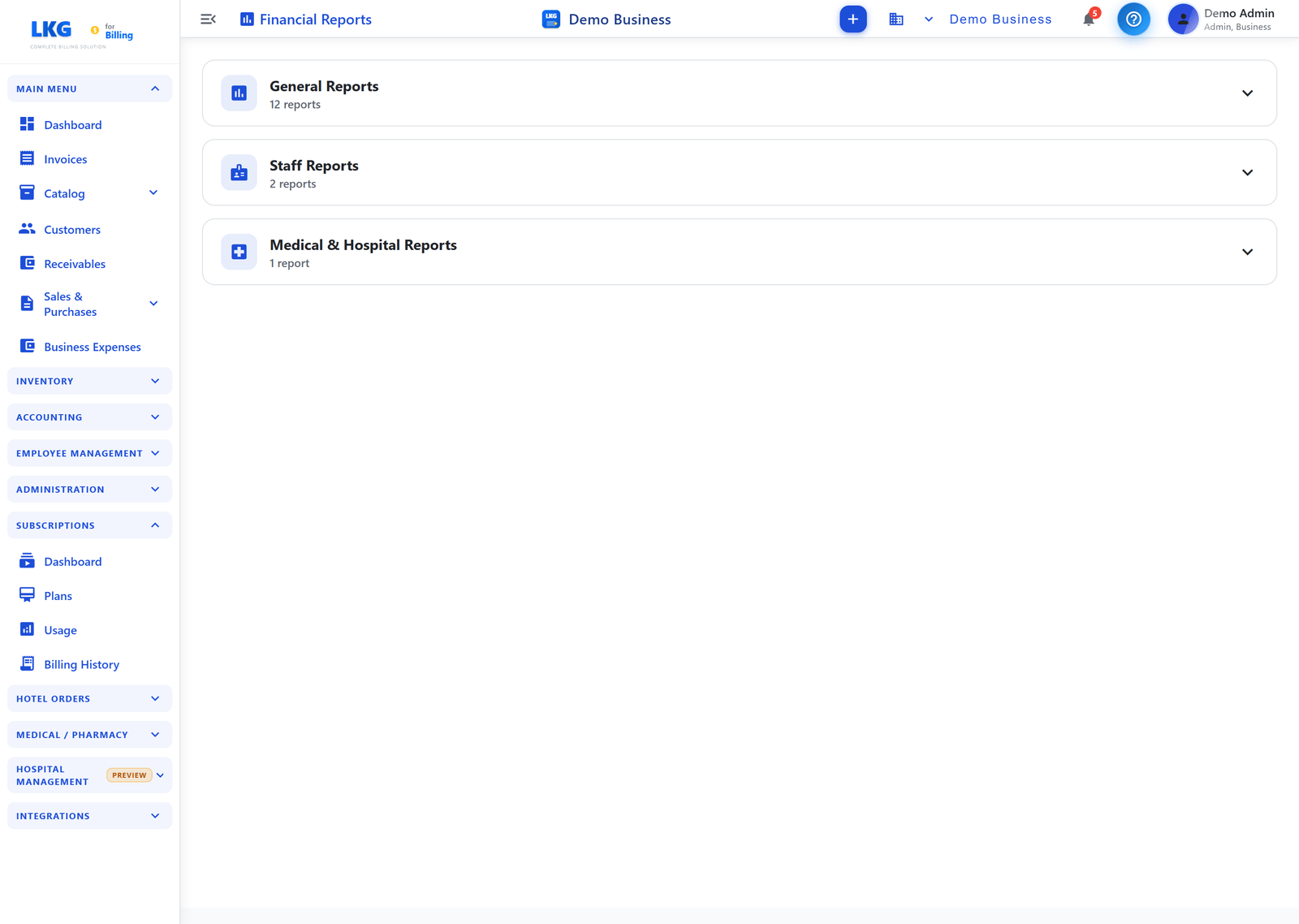
Finanční reporty
Stránka Finanční reporty seskupuje reporty do sbalitelných kategorií. Kliknutím na záhlaví kategorie ji rozbalíte a kliknutím na kartu reportu otevřete podrobný report.
📊 Obecné reporty (12)
| Report | Popis |
|---|---|
| Invoice Report | Faktury vytvořené za den a celková uhrazená částka |
| Trial Balance | Zobrazit zkušební bilanci – ověřte, že se debety rovnají kreditům |
| Profit & Loss | Příjmy, výdaje a čistý zisk za dané období |
| Balance Sheet | Aktiva, pasiva a vlastní kapitál k danému okamžiku |
| Cash Flow | Sleduje peněžní přítoky a odtoky |
| Sales Trends | Analyzujte vývoj prodejní výkonnosti v čase |
| Payment Report | Příchozí platby v hotovosti, kartou a přes UPI |
| Sales Report | Denní a měsíční přehled prodejů |
| Billwise Profit & Loss | Zisk a ztráta vzniklé u každé transakce |
| Partywise Profit & Loss | Zisk nebo ztráta jednotlivých subjektů |
| Business Expenses | Výdaje podle kategorie a měsíční trend |
| Inventory Report | Celkový počet položek a hodnota skladu |
👥 Reporty zaměstnanců (2)
| Report | Popis |
|---|---|
| Attendance Report | Měsíční přehled a souhrn docházky zaměstnanců |
| Employee Expenses | Zobrazte a analyzujte výdaje podle zaměstnance |
🏥 Zdravotnické a nemocniční reporty (1)
| Report | Popis |
|---|---|
| Hospital Summary | Denní počty objednání, hospitalizací, laboratoří, vyšetření a dalšího |
poznámka
Kategorie Zdravotnické a nemocniční reporty je relevantní, pokud používáte modul Nemocnice. Reportování GST má vlastní položku menu GST Report, mimo tuto stránku Reportů.
Přístup k reportům
- Přejděte na Reporty v postranním panelu
- Rozbalte kategorii reportů (Obecné, Zaměstnanci nebo Zdravotnictví a nemocnice)
- Klikněte na požadovanou kartu reportu
- Zvolte časové rozmezí a filtry
- Prohlédněte si vygenerovaný report a v případě potřeby jej exportujte
Související témata
- Sales Trends – analýza prodejní výkonnosti
- Payment Report – analýza inkasa plateb
- GST Report – reportování daně GST pro splnění předpisů
- Invoices – správa vašich prodejních faktur
- Payments – sledování přijatých plateb
- Dashboard – dashboard s přehledem podnikání