Billing Software for Retail & Kirana Stores


A kirana or general store lives and dies by the counter — how fast you can bill a customer, how well you know what's in stock, and whether your GST paperwork holds up at month-end. Here's how billing software fits into all three.
Fast Billing During Rush Hours
Evenings and weekends bring a queue, and every extra second per customer adds up across a busy day. Excel mode is built for exactly this — type a product name, arrow down to the match, hit Enter, and move straight to quantity. No mouse, no clicking through category menus one customer at a time. For a store selling anything from loose grains to packaged snacks, that keyboard-first flow is often the difference between clearing a queue calmly and falling behind it.
The regular billing screen keeps the same speed in mind: a product search bar and category list sit right next to the line-item table, so even without Excel mode you're never more than a search away from the item you need.
For repeat customers who come in daily or weekly — a household buying the same staples, a nearby shop restocking small quantities — having their details saved means you're not asking for a name and number every visit. You search once, pick them from the list, and move straight into billing.
Organizing Hundreds of SKUs
A kirana store's catalog can run into hundreds of items — from ten kinds of dal to a dozen soap brands. Trying to manage that as one flat list makes billing slower and inventory harder to reason about. Product groups and categories solve this by letting you organize items the way your shelves actually work: staples in one group, packaged foods in another, household items in a third.
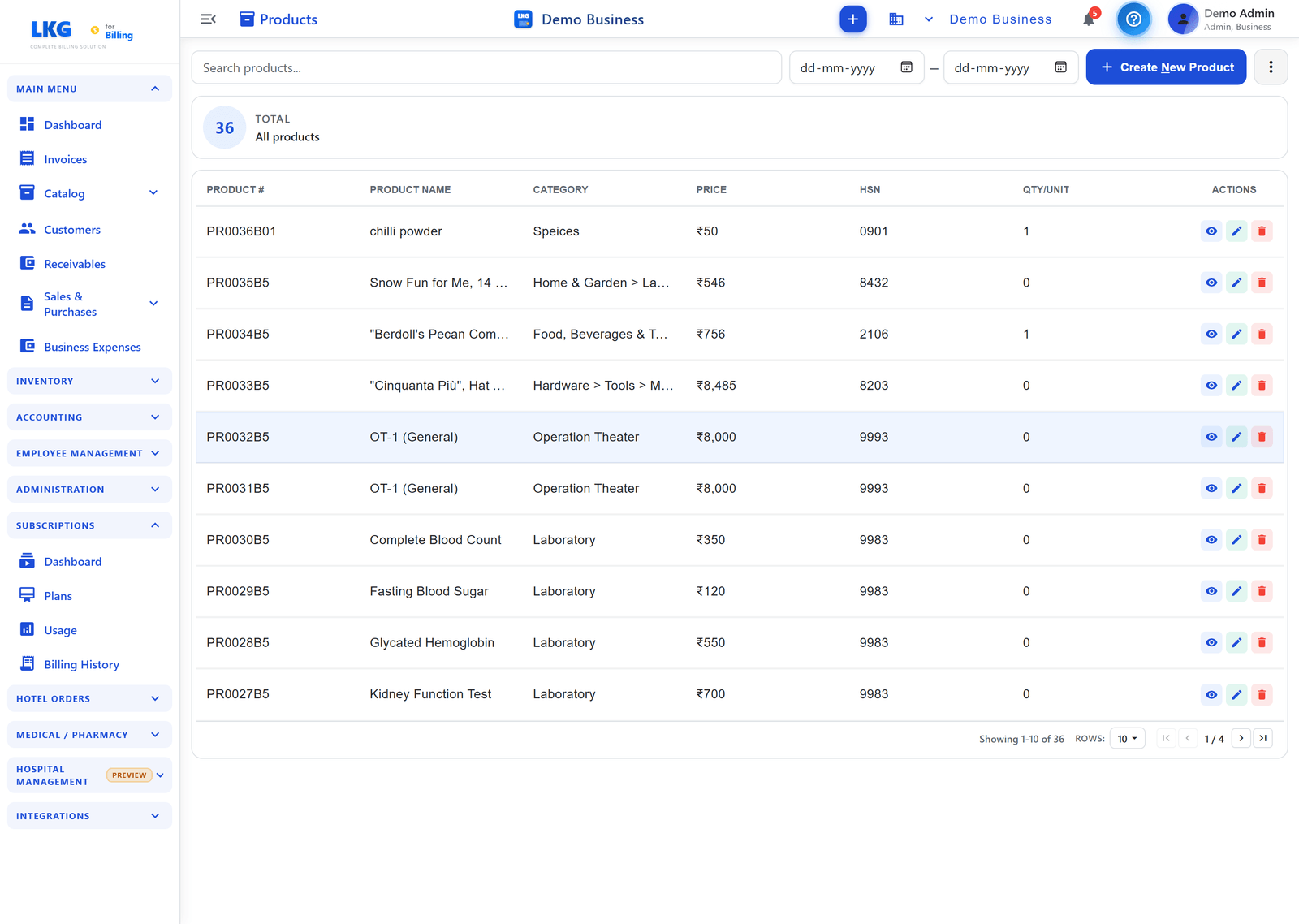
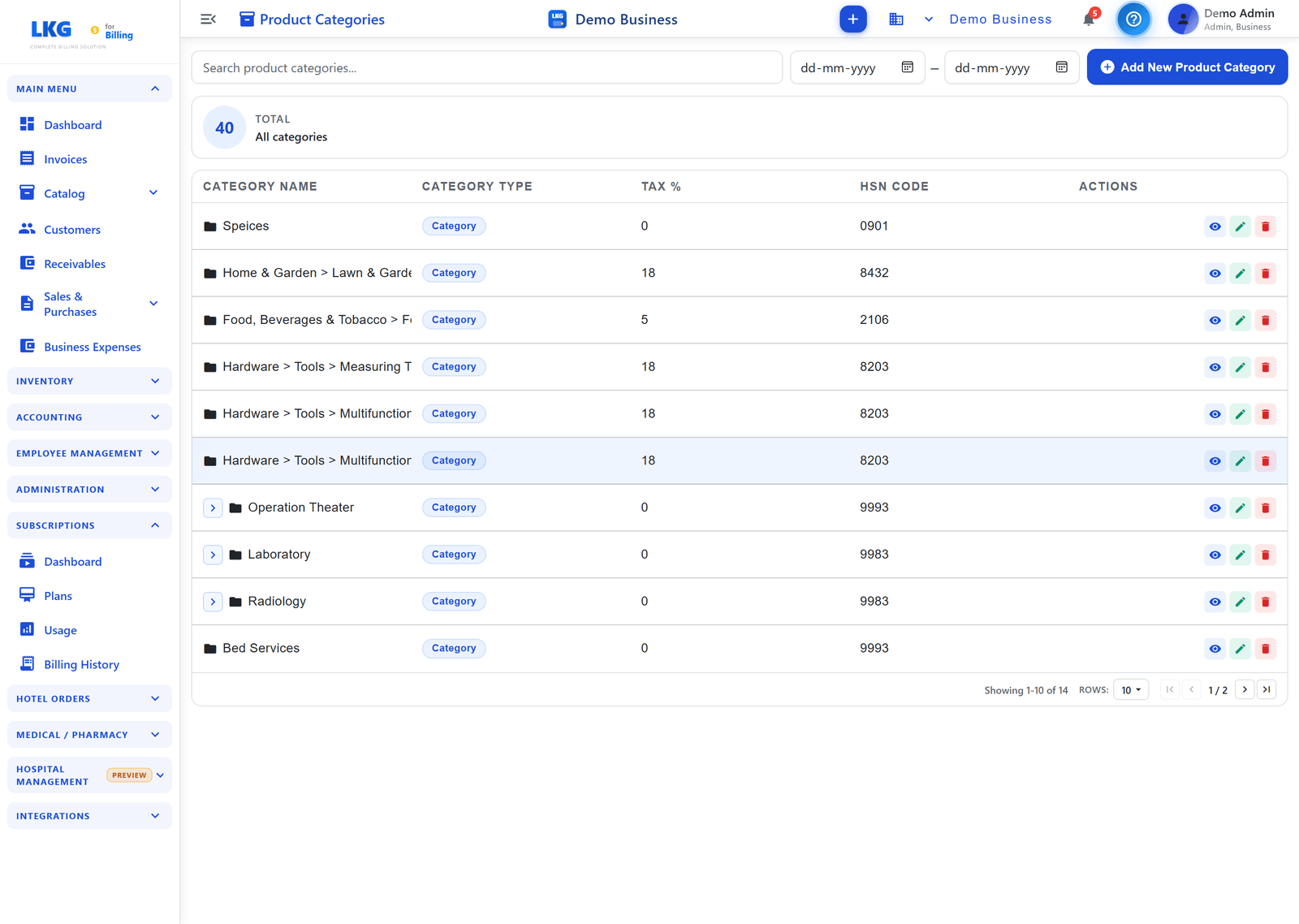
Beyond browsing, product groups also make stock reviews and reordering decisions faster — you can look at a single group instead of scanning the whole catalog to see what's running low. Labels add a further layer on top of categories — useful for flagging things like "fast-moving," "seasonal," or "supplier-specific" without creating a whole new category just for a temporary tag.
GST-Compliant Bills Without Extra Effort
Retail customers rarely ask for a GST breakup, but you still need one on file, and B2B customers will ask for it directly. Every invoice generated carries the GSTIN, HSN codes, and CGST/SGST/IGST split automatically, based on what's set up once on each product — you're not calculating tax by hand at the counter or fixing invoices after the fact. Bulk import support also means you're not retyping HSN codes and prices one product at a time when you're first setting up or adding a new supplier's range.
Tracking Stock So You Don't Oversell
Nothing frustrates a regular customer like being told an item is out of stock after it's already been rung up. Live stock badges — green Available, yellow Low, red Critical — show up right in the product search panel while you're billing, so you catch a shortage before it becomes a promise you can't keep. The same stock data feeds the inventory overview, so restocking decisions are based on what's actually moving, not a guess.
GST Reports at Month-End
Filing doesn't have to mean reconstructing a month of sales from paper receipts or invoice PDFs. The dedicated GST report pulls a tax breakup — taxable value, CGST, SGST, IGST — straight from the invoices you've already raised.

Handing this to your accountant, or filing it yourself, takes minutes instead of an evening spent cross-checking numbers.
Start Free, No Credit Card Required
You can run a small retail counter on LKG for Billing's offline plan for free, forever — ₹0, no expiry, no card. It includes 10 invoices a month, 10 customers, 20 products, 10 product groups, and unlimited users on the same LAN, with full offline functionality so a spotty internet connection never stops you from billing. Want to try the cloud version instead? There's a free 30-day cloud trial with the same limits. See full plan details on pricing or jump straight to download.
Related reading
- Billing Software for Wholesale & Distribution Businesses
- Fast Billing Software: The 30-Second Invoice
- Free Billing Software: What You Actually Get
- Inventory documentation
Running a retail counter every day? Download LKG for Billing and see how much faster billing can be.